
Notifications for Claim events
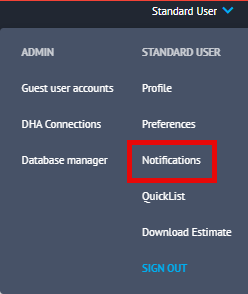
Notifications can be set up for each individual user on their account. To do this, you will need to select the drop-down next to your name followed by Notifications.
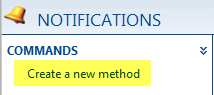
In the notifications page that appears, click on Create New Method in the Commands Box.
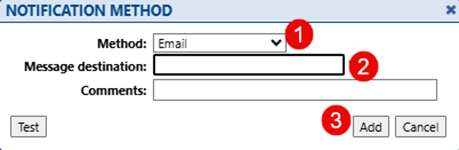
A pop-up box will then appear. Here you can choose the method type you require (1) and a message destination i.e.; email address or mobile phone number (2). Once you have outlined these, click Add to create the method (3).
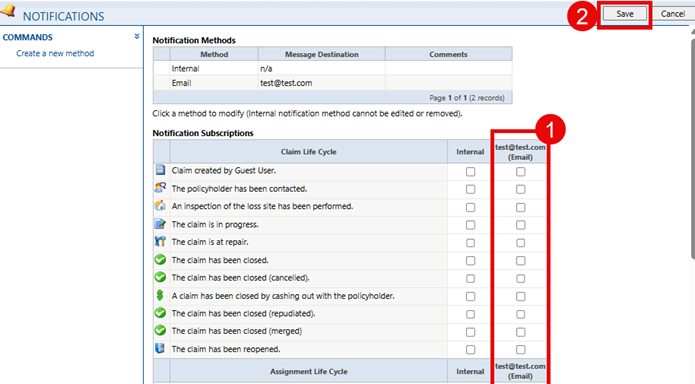
Once created the method will appear as its own column in your notifications (1). You can now go down the list of notification subscriptions and tick on which event you wish to receive notifications for. Once completed, please ensure that you select Save (2).
Please note :
As users only receive notification about claims they are participating in, we advise that companies set up an admin user as a default claim participant so that they are automatically participating in claims as they are created.
This user can then have a notification method set up for a generic company mailbox that all users have access to so that all users can see when a claim is created.
Please contact our Support Team if you wish to obtain guidance in setting up a generic user.

Was this article helpful?
That’s Great!
Thank you for your feedback
Sorry! We couldn't be helpful
Thank you for your feedback
Feedback sent
We appreciate your effort and will try to fix the article