
Creating New User Accounts
If you are an Administrator user within Claims Workspace, you can create new user accounts.
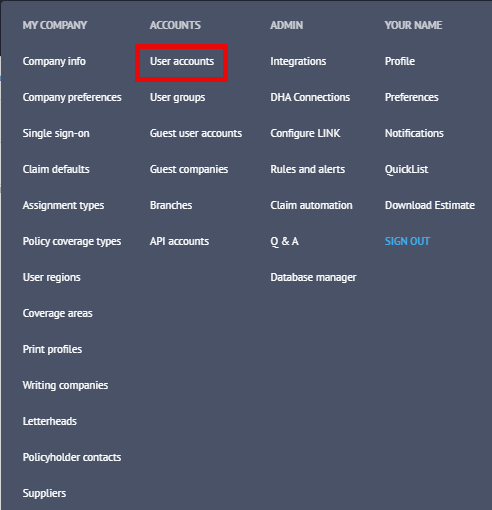
Click on your name at the top right of the screen.

Select User Accounts from the menu.
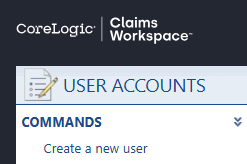
In the top left of the page that appears, click Create a new user.
A new screen will appear where you can enter the new users’ details.
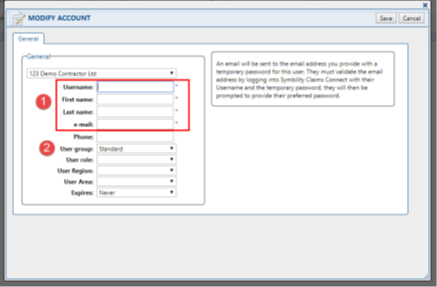
The fields marked with an * are mandatory.
Please note It is advisable that you continue to use the same prefix that has been used by other users within your company. You will need to make sure that all the fields with an * next to them are populated and confirm that the email address is correct before you save.
The user group will define the level of access the user has to the system. Please use the drop down to set the correct access level.
Commonly used User Groups
Standard Light - can work on claims when they are a participant on the claim.
Standard - typical level of claim access suitable for most desk and field staff.
Standard Report – same as Standard but with access to the Report feature.
Administrator - full system access, including reports, company settings and user account creation.
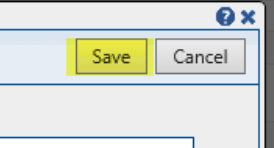
Once completed, click Save at the top right of the screen and the username and temporary password will be emailed to the email address specified.
Please note, temporary passwords are only valid for 24 hours.

Was this article helpful?
That’s Great!
Thank you for your feedback
Sorry! We couldn't be helpful
Thank you for your feedback
Feedback sent
We appreciate your effort and will try to fix the article