
1. Download Estimate
To download the Estimate application to your device you will need to open Claims Workspace.
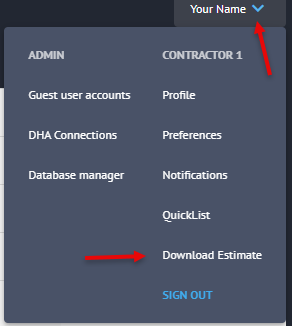
Once logged in, click the drop-down arrow next to your name and in the list that appears select Download Estimate.
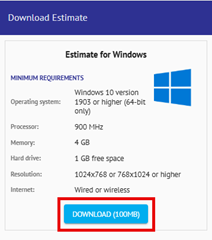
In the blade that appears on the right-hand side of your screen, select the blue Download button.
2. Installing Estimate
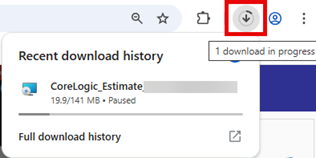
Click the downloads icon on your browser and once the download is completed open the folder destination.
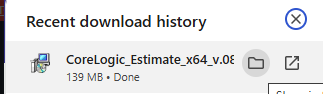
In the folder that appears, double click on the file to open.

The installer window will then display. Follow the installation steps displayed on screen.
Once finished, you can access Estimate using the same credentials as Claims Workspace.

Was this article helpful?
That’s Great!
Thank you for your feedback
Sorry! We couldn't be helpful
Thank you for your feedback
Feedback sent
We appreciate your effort and will try to fix the article