
1. Releasing Ownership within the Assignment
To release ownership of your assignment in Estimate Mobile, finish your work and select the back arrow in the top right-hand corner of your screen.
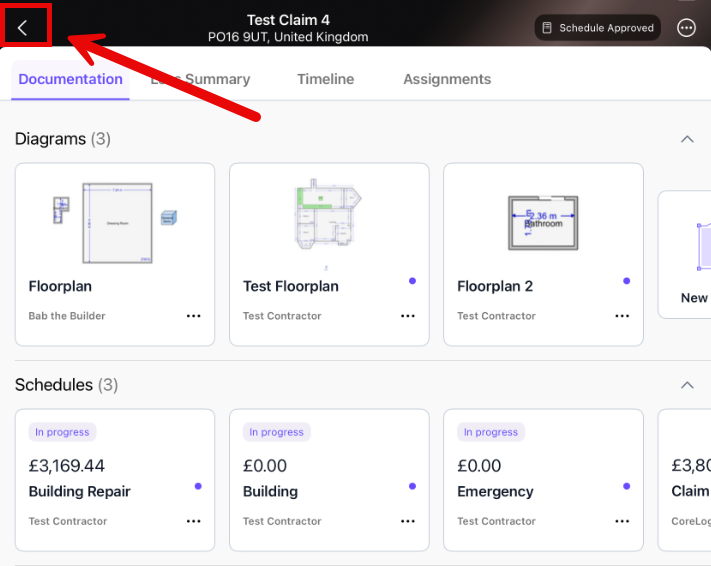
2. Returning to the Assignments List
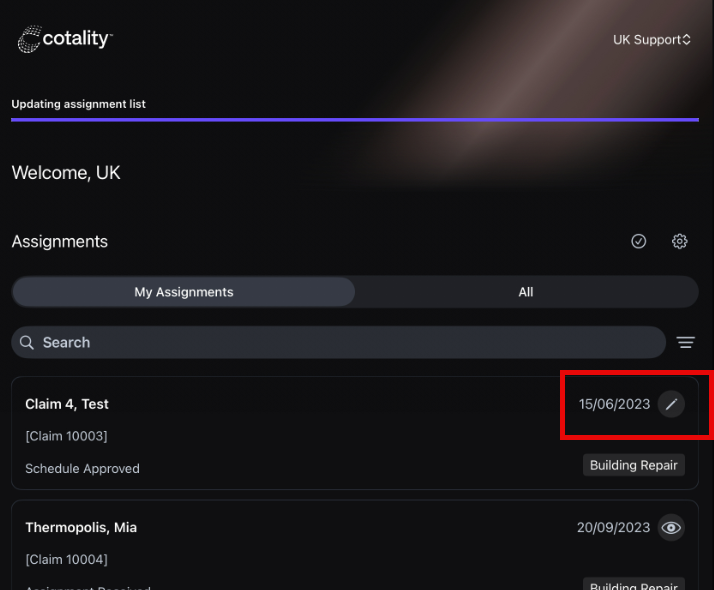
Once you have selected the back arrow you will return to the Assignments list and Estimate Mobile will synchronise any changes you have made with Claims Workspace. During this process the edit symbol will still appear next to your assignment.
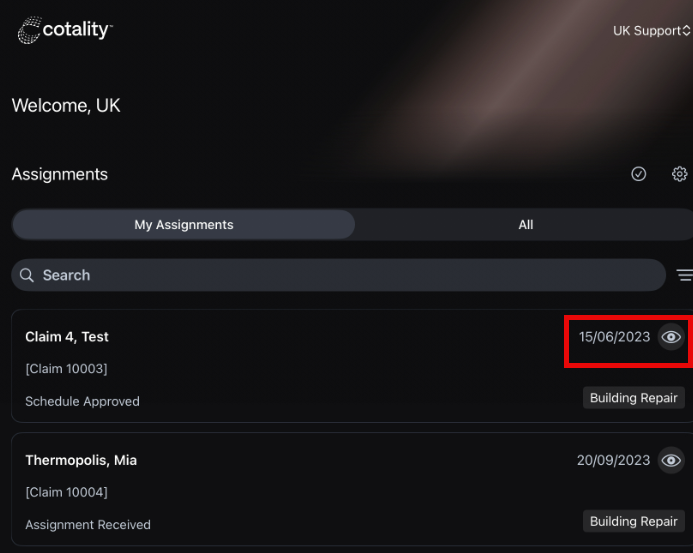
Once the assignment has been synchronised and you ownership has been released an eye symbol will appear next to the assignment. This indicates that the assignment has been downloaded to that device but you no longer have ownership.

Was this article helpful?
That’s Great!
Thank you for your feedback
Sorry! We couldn't be helpful
Thank you for your feedback
Feedback sent
We appreciate your effort and will try to fix the article