1. Revoking your Own Ownership
If you have ownership of a claim and are unable to release or acquire ownership due to either an error message in your claim action column or because you have ownership of the claim on another device, then it is possible to revoke your own ownership through Claims Workspace.
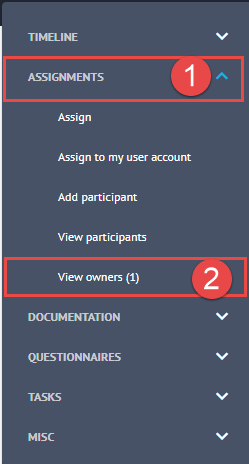
To revoke your own ownership, login to Claims Workspace and search for the required claim. Within the grey options menu, select Assignments (1) and click on View Owners (2).
A Blade will appear from the right-hand side of the screen containing the Claim Owner’s details.
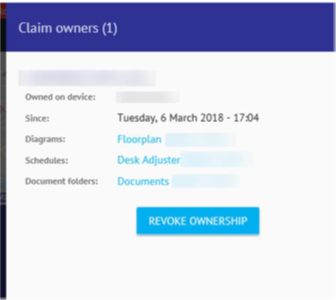
Please note that this is the final stage where you can click Cancel. Once you revoke ownership, any unsaved, unsynchronised changes will be lost.
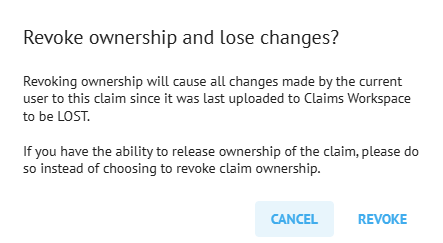
Click on Revoke and the claim will now be available for you or others to acquire.
2. Revoking Another User’s Ownership
Any Cotality user can release their own ownership, however if you are an Administrator, you can also release the Ownership of anyone within your company following the same method as mentioned above.
Please make sure the owner is aware that any unsaved, unsynchronised data will be lost following the revoking.
Was this article helpful?
That’s Great!
Thank you for your feedback
Sorry! We couldn't be helpful
Thank you for your feedback
Feedback sent
We appreciate your effort and will try to fix the article